
Resources
This carefully curated collection of resources will help you find packages and learning resources to help you on your R journey.
Focus and feedback in the tidyverse
This content features Tracy Teal interviewing Hadley Wickham for Open Source Stories, discussing the tidyverse's history and its influences. Hadley reflects on his parents' influence and his role as Posit's Chief Scientist in making data science more accessible. Themes include early computing exposure, relational databases, tidy data principles, and the balance between assisting and imposing solutions. Personal anecdotes highlight how Hadley's upbringing shaped the development of tidyverse tools aimed at simplifying and tidying data in R.
Go to Resource
For fs – Notes from a data witch
The blog post discusses the 'fs' R package, which provides a cross-platform interface for filesystem operations, replacing base R functions like file.path(). Despite the belief that such a package is boring, the author emphasizes the hidden nuances and pitfalls in seemingly simple tasks like specifying file paths. The post illustrates the benefits of using fs's path() function over paste() to avoid errors in large projects where file paths could become complex to handle. The inclusion of a conversation with the author's alter ego adds humor, portraying the challenge in writing about a technical and unglamorous tool.
Go to Resource

Four ways to write assertion checks in R
This content provides a personal narrative detailing the importance of writing assertion checks in R, particularly when dealing with data that can change structure over time. The author shares a transformation from a confident young analyst to one who has learned to be cautious and employ defensive programming techniques. The focus is on the 'identifier' function, illustrating the need for assertions with 'stopifnot()' to handle unexpected and incorrect inputs. The article emphasizes rigorous validation of assumptions to prevent silent errors in code.
Go to Resource
From RStudio to Positron: A Better Data Science IDE (R and Python)
Susan Buck offers a guided tour of Positron, Posit’s newer data science IDE built for both R and Python. The video walks through the Positron interface—including the activity bar, editor, console, and sidebars—and draws direct comparisons to familiar RStudio workflows to help users orient themselves quickly.
Go to Resource
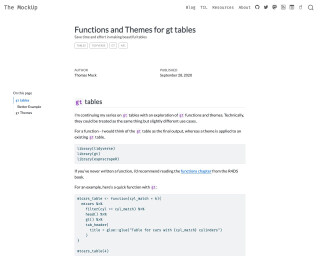
Functions and Themes for gt tables
A tutorial on using functions and themes for creating gt tables in R language.
Go to Resource
Generating quarto syntax within R – Notes from a data witch
This blog post introduces 'quartose', an R package designed to integrate with Quarto for literate programming. The author, located in Sydney, discusses the nuances of names and their personal connection to this topic before exploring a data analysis task using the 'babynames' package. The analysis involves mapping names to data frames and visualizing name popularity over time. The post concludes with a demonstration of 'quarto_tabset()' that allows inserting plots or data frames into a document as a tabbed interface, enhancing the presentation of data in a readable and interactive format.
Go to Resource
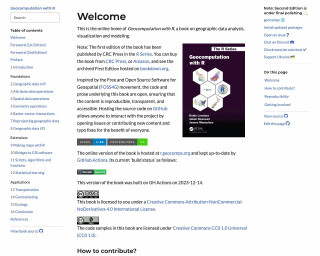
Geocomputation with R
Geocomputation with R is a book on geographic data analysis, visualization, and modeling. It covers various topics related to working with geographic data in R.
Go to Resource
Getting fonts to work in R
Getting fonts to work in R and RStudio can be tricky! This post walks through the different steps we need to follow to give ourselves the best chance of success.
Go to Resource
Getting more out of dplyr
Video presentation by Suzan Baert on getting more out of dplyr at SatRday 2018 Amsterdam.
Go to Resource

Getting started with theme()
This tutorial provides an introduction to the theme() function in ggplot2 and explains how to modify plot themes and elements using this function. It covers basic plot building, using built-in ggplot2 themes, modifying the legend position, and introduces the element_*() functions.
Go to Resource
Getting started with theme()
This blog post offers a beginner-friendly introduction to the theme() function in {ggplot2} for R, emphasizing its utility in customizing plot aesthetics like text and overall style. The author, Jack Kennedy, breaks down the overwhelming number of arguments into manageable, impactful components, providing a step-by-step guide to modifying plots using theme() and related element_*() functions. The content is approachable, combining practical examples with a touch of personal style advice, aiming to empower readers to tailor their {ggplot2} plots confidently.
Go to Resource