
Resources
This carefully curated collection of resources will help you find packages and learning resources to help you on your R journey.
How to automatically crop images using R ("autocrop" / "smart crop" tutorial) - YouTube
This tutorial on YouTube demonstrates how to automatically crop images using R. The tutorial focuses on the autocrop or smart crop technique.
Go to Resource
How to Build and Automate Serverless Dashboards with R or Python
Albert Rapp walks through how to build serverless dashboards in R or Python and then automate their deployment using GitHub Actions. The video covers how to set up a dashboard that runs without a server, and then how to configure a GitHub Actions workflow so the dashboard redeploys automatically whenever you push changes to your repository. It’s a practical guide for anyone who wants to get a Quarto dashboard online without the overhead of managing a server—and without having to remember to redeploy manually every time something changes.
Go to Resource
How to create CUSTOM Callout Boxes in Quarto - YouTube
This video tutorial demonstrates how to create custom callout boxes in Quarto, a document authoring system in R. Quarto allows you to customize your callout boxes to make your documents visually appealing and informative.
Go to Resource
How to fill maps with density gradients with R, {ggplot2}, and {sf} | Andrew Heiss
The blog post by Andrew Heiss explains how to address overplotting in geographic maps created with R, {ggplot2}, and {sf}. A student's project sparked the investigation into making maps more readable by filling areas with a gradient based on event count, rather than using many individual points. The post assumes familiarity with R and the {tidyverse}, and touches on various strategies for fixing overplotting, including transparency, point resizing, and density contour plotting. The author provides code examples, discusses the unique challenges of mapping, and offers solutions for visually coherent geographic data representation.
Go to Resource
How to fill maps with density gradients with R, {ggplot2}, and {sf} | Andrew Heiss
Learn how to fill maps with density gradients using R, ggplot2, and sf.
Go to Resource
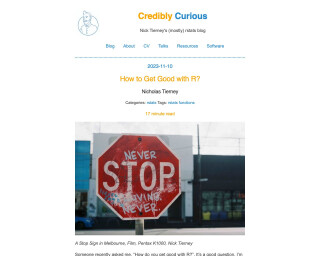
How to Get Good with R? | Credibly Curious
This blog post discusses tips and strategies for improving coding skills in R, as well as non-coding aspects like community involvement and continuous learning.
Go to Resource
How to Make Functions in R
This article provides a tutorial on how to make functions in R, with a focus on creating user-defined functions. It discusses the benefits of using functions and provides an example of creating a function to generate a table of the largest schools in different states using a dataset on school enrollment. The article also mentions the author's custom training services for organizations looking to transition to R and improve their programming efficiency.
Go to Resource

How to Make Slides in R Using xaringan
A tutorial on how to make slides in R using xaringan
Go to Resource
How to make your data analysis life easier using Positron, Raycast, and Espanso
Andrew Heiss discusses the Positron settings and tools he leverages to streamline his data analysis workflow. He shares a highlight of his favorite Positron extensions, such as Air, Better Comments, and Rainbow CSV, and delves into his custom settings for Positron, including editor preferences like font and whitespace handling, version control with Git signing, and various settings to improve the user interface and functionality. Andrew's tips aim to help others in the data science field optimize their setup for efficiency and ease of use.
Go to Resource
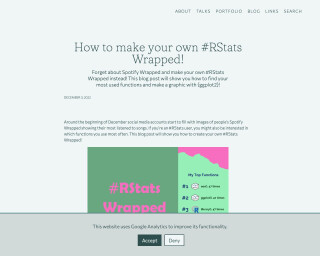
How to make your own #RStats Wrapped! | Nicola Rennie
This blog post provides a tutorial on how to create your own #RStats Wrapped, showing your most used functions and creating a graphic with ggplot2.
Go to Resource
How to open a folder as a Positron project with macOS Quick Actions
Andrew Heiss provides a macOS Quick Action workflow for opening folders as projects in Positron directly from Finder. He details the challenges of transitioning from RStudio's Rproj files to Positron, which lacks an equivalent. To improve efficiency, Heiss introduces an 'Open in Positron' Quick Action and explains the concept of Positron workspaces. He compares them to Rproj files and discusses their pros and cons, offering insights into project-oriented workflows for Positron. Additional details include the integration of project switcher menus, recent project lists, and multi-root workspaces in Positron.
Go to Resource
How to open files, folders, websites in R
Maëlle's R Blog post discusses best practices for using R functions and tools to open files, folders, and websites efficiently. It emphasizes streamlining the process to quickly begin work on projects. The post describes functions like utils::file.edit(), usethis::use_r(), and usethis::use_test(), and suggests keyboard-based workflows in RStudio IDE and Positron to navigate projects effectively. It acknowledges inputs and reviews from Hannah Frick and discusses using the command line and configuring PATH for project launching.
Go to Resource