
Resources
This carefully curated collection of resources will help you find packages and learning resources to help you on your R journey.
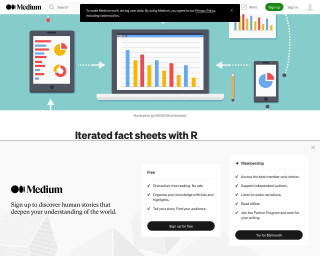
Iterated fact sheets with R Markdown
This article explains how to use R Markdown to create iterated fact sheets. It provides an overview of R Markdown, discusses the necessary ingredients for creating multiple fact sheets, and provides examples using the bad_drivers dataset.
Go to Resource
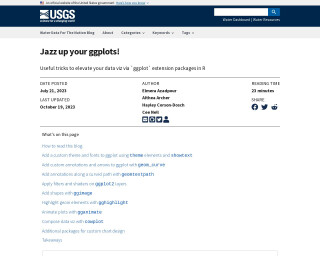
Jazz up your ggplots!
This blog post from USGS VizLab outlines various methods to customize data visualizations using ggplot2 and its extension packages in R. It discusses enhancing plots with custom themes, fonts, annotations, effects, shapes, highlights, and animations. The authors provide comprehensive code examples for each technique, encouraging reproducibility and the use of ggplot2 ecosystem rather than external design software. The blog also features a guide on how to read it effectively, including executing data-wrangling steps, installing necessary packages, and incorporating showtext for fonts.
Go to Resource
Jazz up your ggplots! | Water Data For The Nation Blog
This blog post provides useful tricks and examples to customize ggplot2 visualizations in R using extension packages. It covers topics like adding custom themes and fonts, annotations and arrows, filters and shaders, shapes and image, highlighting elements, plot animation, chart composition, and additional packages for custom chart design.
Go to Resource
Jazz up your ggplots! | Water Data For The Nation Blog
Useful tricks to elevate your data visualization with ggplot extension packages in R.
Go to Resource
JEFworks Lab style guide
Best practices for readable, sharable, and verifiable R code
Go to Resource

Join Data with dplyr in R (9 Examples) | inner, left, righ, full, semi & anti
This tutorial provides examples and explanations of how to join and merge data frames in R using the dplyr package. It covers inner_join, left_join, right_join, full_join, semi_join, and anti_join functions.
Go to Resource

Jonathan Kitt - #TidyTuesday 2023 - Week 31
This is a tutorial on how to participate in the #TidyTuesday weekly challenge, organized by the R4DS Online Learning Community. The tutorial covers loading packages, downloading the dataset, cleaning the data, and creating visualizations.
Go to Resource
June Choe: Setting up and debugging custom fonts
This blog post provides a practical introduction to setting up and debugging custom fonts in R for data visualization using the {ragg}, {systemfonts}, and {textshaping} packages. It covers topics such as installing custom fonts, checking font availability, and advanced font features. The post also includes use-case examples and tips for using custom fonts in different R environments like RStudio, Rmarkdown, and Shiny.
Go to Resource
LA County Population Data Viz
This content outlines a detailed example of accessing and visualizing population data for Los Angeles County using R programming language. It provides insights into the population size of LA County compared to the city proper and the greater metropolitan area. Additionally, the text includes R code that interacts with the U.S. Census Bureau API, demonstrating how to retrieve, filter, and arrange population estimates with county-level granularity and geometry data for mapping. The snippet focuses on data manipulation and visualization techniques using tidyverse and tidycensus, highlighting the practical application of these tools in demographic analysis.
Go to Resource
Large Language Model tools for R
This guide, written by Luis D. Verde Arregoitia and published on February 16, 2026, focuses on Large Language Model (LLM) tools specifically designed for usage with the R programming language. It provides an updated roundup of various tools and developments in the LLM and genAI space, including new R packages like interactive code review, predictive modeling assistant, AI coding agent CLI, prompt-building framework with validation, automated data analysis architecture, and native R interfaces to Hugging Face models and datasets. Other tools like a CLI extension with IDE integration are also mentioned. The guide aims to facilitate users, especially those in R communities, by tracking and summarizing the latest useful resources.
Go to Resource
Large Language Model tools for R
This guide serves as a roundup of Large Language Model (LLM) and general AI tools specifically for R users, written by Luis D. Verde Arregoitia. It includes the latest developments in the LLM/genAI space as of June 2025, with resources such as chatting with OpenAI models within RStudio using PacketLLM, model context protocol with mcpr, and image generation with diffuseR. The content is designed for teaching and tracking updates in LLM+R tools. It is presented in an easy-to-navigate book format, which will be periodically updated to reflect changes in the fast-moving field.
Go to Resource
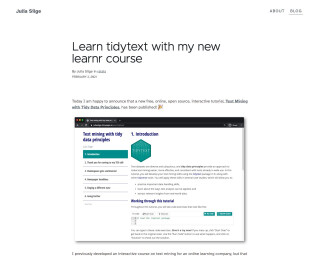
Learn tidytext with my new learnr course | Julia Silge
Learn tidytext with my new learnr course
Go to Resource