
Resources
This carefully curated collection of resources will help you find packages and learning resources to help you on your R journey.

Modern Data Visualization with R
Modern Data Visualization with R is a comprehensive guide by Robert Kabacoff on data visualization techniques using the R programming language. This book, available in both online and print versions, emphasizes the use of ggplot2 for creating a variety of charts and plots. Covering topics from importing and cleaning data to customizing and saving graphs, the book includes worked examples and best practices to help readers create publication-ready graphics. The content also introduces interactive graphing tools and offers advice on graph aesthetics such as color choice and signal-to-noise ratio.
Go to Resource
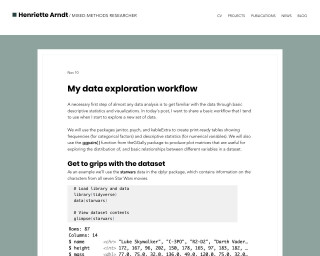
My data exploration workflow
A basic workflow for data exploration using R with packages janitor, psych, and kableExtra.
Go to Resource
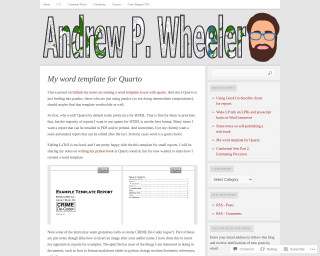
My word template for Quarto | Andrew Wheeler
Andrew Wheeler's blog post discusses creating a custom Word template for use with Quarto, which is beneficial for reports that require formatting suitable for email, printing, or post-generation editing. Starting with the command to generate a default Word template from Quarto, Wheeler explains how to modify styles for various document elements like titles, headings, and code snippets. The template supports markdown tables and features styling for page numbers, headers, and footers. His template also includes personal branding with a hyperlinked logo. The post is a resource for those who prefer Word over HTML or LaTeX for their Quarto-generated documents.
Go to Resource
Neon Ghosts with ggplot2
This content details Dr. Mowinckel's Halloween-themed tutorial on creating neon ghosts using the ggplot2 package in R. The tutorial provides a step-by-step guide with accompanying code to generate randomized ghost shapes and add neon glows for a spooky effect. Different neon colors are used for multiple ghost illustrations, and the code includes a function for plotting simple ghosts with variable sizes and wiggles. The blog also mentions a method to cite the work, indicating the author's intent for users not just to learn but also to use and reference the generated graphics.
Go to Resource
New, work-in-progress book on spatial data visualization in R
This is an announcement of a work-in-progress book titled Spatial Data Visualization with tmap: A Practical Guide to Thematic Mapping in R, to be published on October 14, 2025. The book is designed for various levels of expertise, from beginners to experienced GIS users and covers the usage of the tmap package in R for creating thematic maps. The online version is currently available, with the first three parts mostly complete, and further chapters in development. The tmap package has seen significant updates in version 4.0, adding features like improved defaults and expanded faceting options. The book is part of the geocompx project.
Go to Resource
Nightlife of Barcelona Neighborhoods
The blog post by Jose M Sallan provides an in-depth spatial analysis of nightlife within the neighborhoods of Barcelona. It builds on the author's previous district-level analysis to evaluate neighborhoods based on the number and density of venues. The post includes choropleth maps and data wrangling examples. To perform the analysis, it uses sf for spatial analysis, with data sourced from BAdatasetsSpatial. The author also utilizes the tidyverse and kableExtra packages for data manipulation, plotting, and creating tables. The post showcases code snippets for loading, processing, and presenting geographical information, as well as generating and interpreting maps.
Go to Resource
Notes from a data witch - Four ways to write assertion checks in R
Learn about four different approaches to writing assertion checks in R to ensure code fails loudly and throws an error when assumptions are violated.
Go to Resource
Notes from a data witch - Four ways to write assertion checks in R
This article discusses the importance of writing assertion checks in R to ensure code fails loudly and throws an error when assumptions are violated. It explores four different approaches to writing assertions in R, with examples and explanations.
Go to Resource
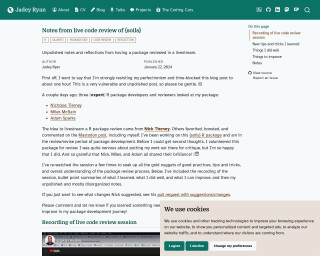
Notes from live code review of {soils} package
Jadey Ryan reflects on the value of having their R package, {soils}, reviewed live by expert R developers. The post includes candid thoughts on the process, emphasizes the importance of community feedback, and shares learning points such as good practices in R package development, defensive programming, and the use of specific R functions. It includes a recording of the review, insights on doing well and areas for improvement, and a mix of technical details relevant to R package development.
Go to Resource
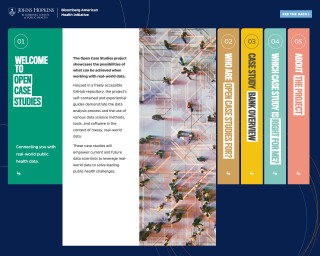
Open Case Studies | Bloomberg American Health Initiative
The Open Case Studies project showcases the possibilities of what can be achieved when working with real-world data. It provides insights about gathering and working with data for students, instructors, and those with experience in data science or statistical methods at nonprofit organizations and public sector agencies. Each case study focuses on an important public health topic and introduces methods to provide users with the skills and knowledge for greater legibility, reproducibility, rigor, and flexibility in their own data analyses.
Go to Resource
Optimising VS Code and Positron for Quarto
This content presents a comprehensive guide to optimizing the editing experience of Quarto documents within VS Code and Positron platforms. It details specific editor settings adjustments aimed at improving document editing by addressing common issues such as code formatting, readability, and workspace performance. The settings enhance visual assistance, reduce visual clutter, manage markdown table rendering, and refine Git diffs. Essential configurations such as defining language-specific settings, modifying word wrapping, and utilizing bracket pair guides are discussed. Additionally, recommendations for visual line length guides, workspace performance optimization, and GitHub Copilot integration for AI assistance are provided to streamline the Quarto document editing workflow.
Go to Resource