
Resources
This carefully curated collection of resources will help you find packages and learning resources to help you on your R journey.
'Vibe coding' with AI agents in scientific research
The article provides a critical perspective on 'vibe coding' with AI agents in the context of scientific research. Vibe coding involves creating software using large language models (e.g. ChatGPT, Claude) through prompting and minimal human-written code. It highlights the risks of relying on AI for coding tasks that require precision, such as data wrangling and model formulation in scientific research. The author shares experiences with agentic AI systems and discusses the potential for producing logically flawed results due to over-engineering and a lack of manual logic checks. Guidance on safely using AI agents for scientific coding is offered.
Go to Resource
{datapasta} came up at #CascadiaRconf
Libby Heeren highlights the {datapasta} R package, particularly useful for copying tables from various sources and pasting them into R as a tibble or other data structures. She praises the package's efficiency and its contribution to reproducibility in data handling. The community shares positive feedback, with many expressing a desire to use the package for its convenience and reproducibility benefits. An updated version is recommended from GitHub, as the CRAN version is not the latest. The post indicates a strong appreciation for {datapasta} within the R community.
Go to Resource

A beginner’s guide to building a simple website with Quarto & Netlify
This content is a tutorial for beginners on creating a simple website using Quarto and deploying it with Netlify. It guides users through the installation of RStudio and Quarto, the process of creating a Quarto website, and understanding the necessary files. The guide highlights the benefits of using Quarto and Netlify over other website platforms and provides a stress-free approach for those without web development experience. It includes step-by-step instructions to ensure even complete novices can achieve a professional online presence quickly and easily.
Go to Resource
Air 0.7.0
Air 0.7.0 is a newly released version of a powerful R formatter known for its speed, announced by Davis Vaughan and Lionel Henry. It includes updates from versions 0.5.0 to 0.7.0 with enhanced Positron support, a 'autobracing' feature for formatting code blocks, and a GitHub Action for automation. The Air extension comes bundled with Positron, ensuring automatic updates and a seamless experience. The release simplifies adding Air to projects with usethis::use_air(), formatting configuration, and the promotion of consistent coding styles across various editors. It also introduces autobracing for if statements and loops to improve code portability.
Go to Resource
Air, an extremely fast R formatter
Air is an innovative R formatter designed to enhance code readability and maintainability. On February 21, 2025, Davis Vaughan and Lionel Henry introduced Air, boasting exceptional speed in formatting R code. Air automates the styling process, seamlessly integrating with the Positron environment and RStudio. It can reformat individual files on save or entire projects using a terminal command. Key features include instantaneous formatting and smart file recognition to exclude generated files. Air is ideal for tidyverse packages like dplyr and is available as an extension for Positron and VS Code, alongside command line installation options.
Go to Resource
brand.yml
The _brand.yml file allows for unified branding across various outputs by setting company brand guidelines in a YAML file. This file can be integrated with tools like Quarto and Python's Shiny to automatically apply brand themes to reports, dashboards, and presentations, ensuring a consistent brand identity in data science products. Support for _brand.yml is available in several formats and libraries, enabling easy theming with company logos, colors, and typography across different platforms. Examples and user stories illustrate its practical applications in data science workflows.
Go to Resource
Building a Linkedin data visualisation template with Quarto and Typst
Aaron Schiff shares a method for sharing data visualizations on Linkedin using Quarto and Typst. He created a template that allows for the production of nicely formatted PDFs to circumvent Linkedin's subpar image handling. The template includes a topic heading, summary text, a ggplot chart, data source citation, optional two-column text, and a footer. Additionally, Schiff explains the synergy of Quarto, a publishing system, and Typst, a layout framework, to streamline the production of visually appealing PDFs. He provides guidance on creating a Quarto Typst template and how to use it with example code and the configuration process.
Go to Resource
Chat with Large Language Models • {ellmer}
The 'ellmer' package facilitates the use of large language models (LLMs) directly from R. It provides access to multiple LLM providers and features like streaming outputs and structured data extraction. 'ellmer' supports models such as Anthropic's Claude, AWS Bedrock, and OpenAI's GPT, among others. The package offers interactive and programmatic ways to converse with models, maintaining the conversation state, which is useful for building on previous interactions. 'ellmer' is practical for both organizational and personal use, accommodating various IT restrictions and preferences.
Go to Resource
Convert a Word table to Markdown
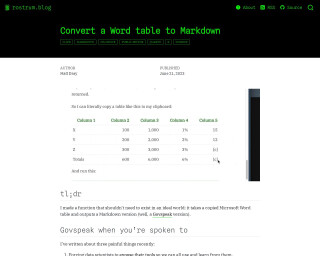
The blog post describes a function created by the author to convert Microsoft Word tables into Govspeak Markdown, which is needed for publishing HTML files on GOV.UK. This process is typically tedious and demands attention to specific Govspeak features such as row labels and totals columns. The author introduces an R package named {wordup} that includes the function table_to_govspeak(), which handles input, guesses data types, and applies extra styles to the table conversion. It streamlines moving content from Word to Govspeak, which can be further facilitated by copying tables to the clipboard.
Go to Resource

Creating template files with R
Nicola Rennie's blog post teaches readers how to save time when dealing with repetitive tasks by creating template files with R. The post explains fine-tuning R scripts for tasks like #TidyTuesday, where similar sections are involved each week. Instead of copying and pasting scripts and GitHub README files weekly and updating parts manually, Rennie introduces a method for generating template files and folders based on a date argument. This process includes creating organized directories and template files, replete with content placeholders, which can then be customized for the specific week's work.
Go to Resource
Creating template files with R | Nicola Rennie
Learn how to create template files in R to automate repetitive tasks.
Go to Resource
Data Pipelines with {targets}
This content introduces the 'targets' R package, designed to assist in creating reproducible and efficient data pipelines. 'targets' tracks each component of an analytical pipeline, updating steps only when changes occur and avoiding redundant computations. It facilitates clean, function-oriented code that significantly reduces frustration and time spent on re-running analyses due to errors or alterations in the code. The post includes a simple analysis example using the 'palmerpenguins' dataset, demonstrating how 'targets' can streamline the workflow. The analogy to The Eye of Sauron exemplifies its vigilant tracking capability.
Go to Resource