
Resources
This carefully curated collection of resources will help you find packages and learning resources to help you on your R journey.
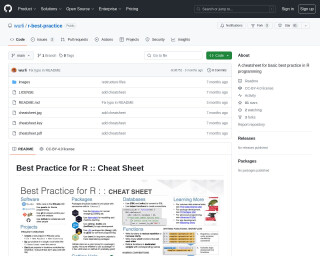
A cheatsheet for basic best practice in R programming
The GitHub repository wurli/r-best-practice provides a cheatsheet aimed at establishing basic best practices for R programming. Intended for developers new to R or those interested in improving their skills, it contains opinionated guidelines for good practices. The cheatsheet includes a variety of tips and is licensed under CC-BY-4.0, ensuring free use with credit. Originally developed for the UK Department for Education, it has been generalized for broader usage. Inspired by Posit's data science software cheatsheets, it encourages forking for personalized adaptation.
Go to Resource
A Claude Skill for _brand.yml, and sharing with Quarto 1.9
Stephen Turner created a Claude Skill for generating '_brand.yml' files, which define brand styling for Quarto documents. This skill streamlines the creation of consistent visual themes across various document formats like websites and PDFs. A _brand.yml file is a single YAML file that sets colors, fonts, and typography. Turner tested the skill by creating a brand.yml for the UVA School of Data Science, demonstrating ease of use and consistency in branded outputs. The skill leverages Quarto 1.9's feature to share brand.yml via GitHub. Users can create brand.yml files based on existing websites, institutional color schemes, or custom descriptions.
Go to Resource
A Comprehensive Collection of Crime-Related Datasets • crimedatasets
The crimedatasets package in R provides an extensive array of crime-related datasets. It's tailored for users interested in crime analysis, criminology, and studying socio-economic factors related to criminal activity. It offers a broad range of data types including tables, tibbles, spatial data, and time series, each with a specific naming convention for ease of use. Installation is straightforward via CRAN, and the package puts various global and local crime datasets at one's fingertips for research and educational purposes, such as datasets on US cybersecurity breaches and New Zealand murders.
Go to Resource
A Comprehensive Collection of U.S. Datasets • usdatasets
The usdatasets package provides an essential collection of U.S.-specific datasets suitable for analysis in various fields like crime, economics, education, and healthcare. It includes datasets with suffixes denoting their type, aiding in identification and usage. The package can be installed from CRAN and is easy to use, making it a valuable tool for researchers and analysts working with U.S. data. It follows a consistent naming convention to indicate data structures, such as time series (_ts) or data frames (_df), simplifying the data analysis process.
Go to Resource
A Few Claude Skills for R Users
This post highlights various Skills for R users developed by the community to work with coding AI tools, specifically tailored for Claude, an AI assistant by Anthropic. These Skills offer guidance on using the latest features in R coding, promoting best practices, and improving productivity. The author mentions resources for finding these Skills and provides definitions for terms like Claude Models and Claude Code. The post also differentiates between CLAUDE.md files and Claude Skills based on their scope and context usage, suggesting the latter for task-specific commands. Community contributions, such as "Claude R Tidyverse Expert" and "Claude Code R Skills," are exemplified.
Go to Resource
A First Look at Positron
Julia Silge provides a comprehensive overview of Positron, the next-generation data science IDE built by the creators of RStudio. Presented at the recent useR! conference, this video gives you everything you need to know about Positron’s features and capabilities. If you’re considering making the switch from RStudio to Positron, this is an excellent resource to help inform your decision.
Go to Resource

A ggplot2 Tutorial for Beautiful Plotting in R
A ggplot2 tutorial for beautiful plotting in R by Cédric Scherer
Go to Resource
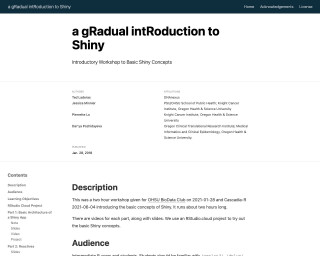
a gRadual intRoduction to Shiny
A gradual introduction to Shiny is a two-hour workshop that introduces the basic concepts of Shiny, a web application framework for R. The workshop covers the basic architecture of Shiny apps, how the server and UI communicate, adding ggplot2 code to an app, creating reactive datasets, and adding tooltips with plotly. The workshop is designed for intermediate R users and students familiar with ggplot2, dplyr, and functions.
Go to Resource
A personal history of the tidyverse
This content presents a personal history of the tidyverse, a collection of R packages for data science, as seen through the eyes of the creator, Hadley Wickham. The article traces the evolution of the tidyverse from its early beginnings to its current status as a major tool in the R ecosystem. It reflects on the growth from individual projects to a collaborative community effort, supported by both Posit (formerly RStudio) and users worldwide, spanning almost 20 years and over 500 releases. The tidyverse's defining features, its significance, and the future vision are all discussed, emphasizing its open-source philosophy and contribution to data analysis and data warehousing.
Go to Resource
A quick tour of Positron
The content is an introduction to Positron, a free data science IDE that supports both R and Python. Built as a fork of VS Code, Positron offers features such as a built-in data explorer, AI assistance, and interpreter management, facilitating a streamlined workflow for data professionals. The blog outlines key components like the Activity Bar, Editor, and Panels for navigation. It also provides a guide to managing interpreters, using the Data Explorer, database connections, Positron Assistant for AI-powered code generation, and accessing documentation. The post serves as an invitation to download and explore Positron.
Go to Resource

A Scientist's Guide to R: Step 1. Getting Data into R
A tutorial on getting data into R, covering various file formats like .csv, .txt, .xlsx, etc.
Go to Resource

A Scientist's Guide to R: Step 2.1. Data Transformation - Part 1
This post is part of the Scientist's Guide to R series and focuses on data transformation techniques for wrangling, tidying, and cleaning data. It introduces the core functions of the dplyr package, as well as other relevant functions in base R. The post covers topics such as selecting columns, filtering rows, modifying columns, obtaining descriptive summaries of data, assigning grouping structures, and arranging data frames. The post also mentions the data.table package for working with large datasets. The examples in the post demonstrate how to use the select() function from the dplyr package to subset columns from a data frame.
Go to Resource