
Resources
This carefully curated collection of resources will help you find packages and learning resources to help you on your R journey.
Why R? Webinar 037 - D. Gohel - Tabular reporting with the flextable package - YouTube
This is a webinar titled 'Tabular reporting with the flextable package' by D. Gohel. It is a part of the 'Why R?' webinar series and is available on YouTube.
Go to Resource
Wildfires in southern Italy🇮🇹 in the last 10 days!
A YouTube video about wildfires in southern Italy in the last 10 days.
Go to Resource
Winners of the Posit Closeread Prize - Data-Driven Scrollytelling with Quarto
This blog post discusses the winners of the Closeread Prize, featuring data-driven scrollytelling stories created with Quarto. The Closeread Prize challenged participants to craft compelling web narratives that unfold with user scroll, using the Quarto Closeread extension. Submissions spanned various topics and tools, with 40 entries exhibiting a mix of narrative, visuals, and technical prowess. Judges from diverse backgrounds evaluated the entries for narrative quality, scrollytelling suitability, visual polish, and technical achievement. The grand prize and special prizes highlighted the exceptional use of scrollytelling, technical skill, visual elegance, and integration of dynamic data visualization.
Go to Resource
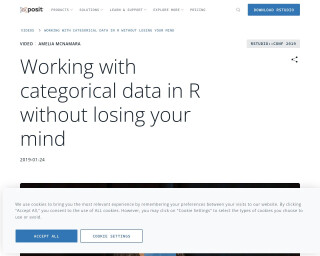
Working with categorical data in R without losing your mind
Working with categorical data in R without losing your mind - This talk outlines common problems arising from categorical variable transformations in R, and shows strategies to avoid them, using both base R and the Tidyverse.
Go to Resource
Working with colours in R
This blog post by Nicola Rennie guides readers on effectively using colors in R for data visualization or generative art. It discusses various methods to define colors, choosing suitable color palettes, and generating custom color schemes, without delving deeply into plot implementation. A useful 'plot_palette()' function is provided with examples. Readers learn about color names, hex codes, and RGB values, and how to apply them in R, with references to further resources.
Go to Resource

Working with Strings in R: Seattle Pet Names
This is a tutorial on how to work with strings in R using the 'stringr' package and the 'rebus' package. The tutorial uses the 'Seattle Pet Names' dataset from TidyTuesday and focuses on the names given to cats and dogs. It demonstrates the manipulation of strings by removing punctuation and excess white space from the names.
Go to Resource
Wrangling categorical data in R
This tutorial is a comprehensive guide on how to wrangle categorical data in R. It covers various techniques and functions to manipulate and analyze categorical data, including recoding, reordering, and summarizing categorical variables. The tutorial also provides step-by-step examples and case studies to illustrate the concepts.
Go to Resource
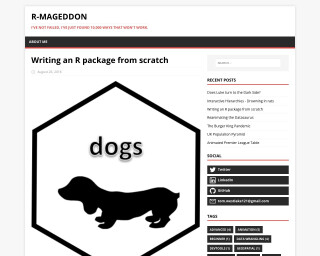
Writing an R package from scratch
This tutorial provides a step-by-step guide on how to create an R package from scratch using the usethis package. It covers topics such as package setup, adding functions, and function documentation.
Go to Resource

Writing beautiful code
This content is a comprehensive guide on writing aesthetically pleasing and maintainable code, with a focus on R programming. The author, Ma"elle Salmon, explains the importance of beautiful code for readability and collaboration. The guide includes practical tips and tricks, and emphasizes adherence to coding styles, proper spacing, avoiding overly long lines, and creating descriptive functions. Additionally, the author discusses reducing unnecessary comments and documenting functions effectively. The guide also covers using tools like {styler} for automatic formatting and encourages learning from others' code to extend one's R vocabulary.
Go to Resource
xaringan
Presentation Ninja with xaringan - a tutorial and package for creating presentations in R using the xaringan package
Go to Resource
xaringanBuilder
renderthis is an R package for generating HTML slideshows using the xaringan package.
Go to Resource
